• Skip to primary navigation
  • Skip to main content
  • Skip to primary sidebar
  • Skip to footer

Moto G Phone Guide

  • Home
    • Contact
    • Privacy
    • Forum
  • User Manuals
    • Moto G8 User Manual for Moto G8 Plus and Moto G8 Play
    • Official Moto G7 user manual
    • Official Moto G6 user manuals, Moto G6 Play user manuals and Moto G6 Plus user manuals
    • Official Moto G5 User Manual and Moto G5 Plus User Manual
    • Moto G4 User Manual: official PDF user guide for Moto G4, Moto G4 Plus and Moto G4 Play
    • Moto G 2015 user guide
    • Moto G 2nd Gen User Manual (Moto G 2014 User Manual)
    • Moto G Manual (Mot G user guide)
  • how-to guide
    • Stylus features on Moto G Stylus (all models)
    • Understand Moto G Model Names
      • What’s new in Moto G 2024? Moto G 5G 2024 vs Moto G Power 2024 vs Moto G Play 2024
      • Moto G8 vs Moto G8 Power vs Moto G8 Power Lite vs Moto G Power vs Moto G Stylus vs Moto G Pro vs Moto G fast: What are the differences?
      • Moto G8 Plus vs Moto G8 Play: Differences and common features
      • Moto G7 vs Moto G7 Play vs Moto G7 Plus vs Moto G7 Power: what are the differences?
      • What are the differences: Moto G6 vs Moto G6 Plus vs Moto G6 Play (Moto G 2018)?
      • Moto G5 vs Moto G5 plus: the major differences between Moto G5 and Moto G5 plus
      • What’s new in Moto G5 and Moto G5 Plus?
      • What are the differences of Moto G4, Moto G4 Plus and Moto G4 Play?
      • Top 6 exciting improvements in Moto G 2015 (Moto G 3rd Gen)
      • Moto G 2014 (aka Moto G 2nd generation) vs Moto G: top 10 facts you should know
    • Moto G5 Plus SIM card guide
      • How to install Moto G5 SIM card?
    • How to take screenshot on Moto G (without using apps)
    • How to use Moto G camera and change camera settings?
    • How to access developer options menu in Moto G?
    • How to use FM radio on Moto G?
    • Moto G wireless display: the problem and the solution
    • Meaning of Moto G notification icons
    • How to use Moto G voice command?
    • How to use Motorola Assist on Moto G?
    • How to Silence Moto G Notifications and Ringtones
    • How to use dual SIM cards on Moto G?
    • How to connect Moto G with PC through USB cable? (for Moto E and Moto X as well)
    • How to use Bluetooth to transfer files on Moto G, Moto E and Moto X?
    • How to use Wi-Fi Direct to transfer files on Moto G, Moto E and Moto X?
    • How to block certain callers on Moto G, Moto E and Moto X?
    • How to use Moto G safe mode (applies to Moto X and Moto E safe mode as well )?
    • Moto G USB OTG guide (also for Moto X)
  • Online Manual
    • Moto G layout
    • How to remove Moto G back cover?
    • Moto G Home screen
    • Insert SIM card into Moto G and Moto E
    • How to add apps to Moto G home screen (for Moto E and Moto X as well)
    • Add new home screen pages on Moto G, Moto E and Moto X
    • Use widgets on Moto G home screen (for Moto X and Moto E as well)
    • How to update Moto G, Moto E and Moto X?
    • Moto G 2015 camera guide
    • Top 10 new features in Android Nougat update for Moto G4 and Moto G4 Plus
    • What’s new in Moto G5 and Moto G5 Plus?
  • Accessory Guide
    • Moto G case guide

Understand Moto G Model Names

by simon 1 Comment

Understand Moto G Model Names

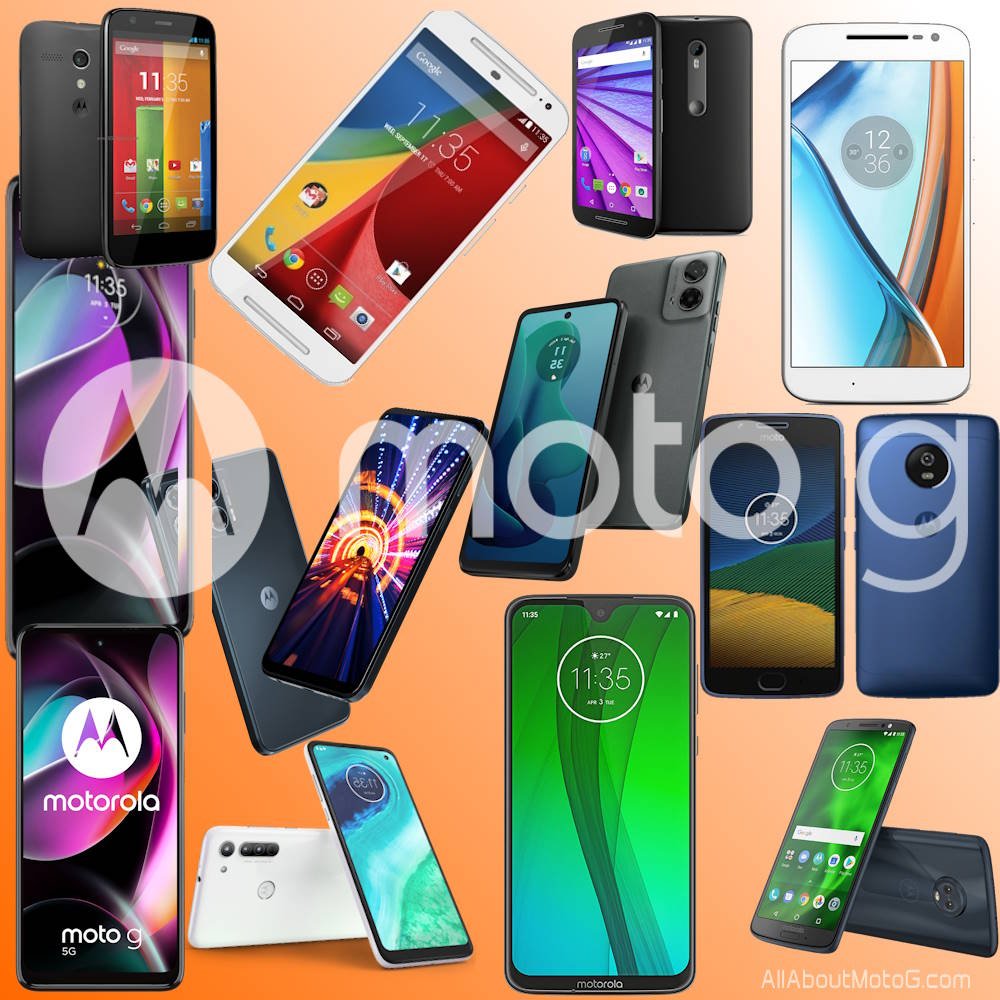
You are not alone if you are confused by Moto G model names. There are simply too many Moto G models.

Contents hide
1) Why are there so many Moto G models?
2) Moto G model names in the US and North American market
3) Moto G model names in the International market
4) List of all Moto G models

Motorola has been introducing more than 10 Moto G phone models every year since 2020. However, the naming convention of these models has become quite confusing for most potential buyers and even the sales staff in Lenovo/Motorola stores. The naming convention is often complex and doesn’t make sense, making it difficult for people to understand which Moto G model they should choose.

This Moto G guide explains the naming convention of Moto G phones in the US and international markets to help you understand the meaning of Moto G model names. It also includes a list of known Moto G models.

Why are there so many Moto G models?

When Google sold Motorola to Lenovo in 2024, Moto G was the most valuable brand in assets. The first generation of Moto G (2013) was a success in the crowded Android smartphone market.

The first generation of Moto G (2013) actually set the standard for a real middle-range smartphone: reasonable price with decent performance. Moto G 2014 (2nd Gen) was also well-received in the market.

Compared to Moto E (which is in the death spiral) and the abandoned Moto X, Moto G has its unique brand value among Android users.

After years of trial, Lenovo/Motorola found Moto G to be the most valuable brand, and therefore, they put the Moto G stick on as many phones as possible. Since 2020, on average, you’d expect one new Moto G model each month.

With Samsung and Apple dominating the high-end smartphone market, Motorola has to seek opportunities in the middle-range market where Moto G targets.

Currently, Motorola has 4 major brands (series) for smartphones:

  • Moto E for entry-level Android phones. It is actually in the death spiral. The lower end of Moto G competes against Moto E directly.
  • Moto G for middle-range Android phones.
  • Motorola Edge (and Edge+) for the high-end Android phones.
  • Motorola Razr (and Razr+) for foldable phones.

Motorola Edge never claimed a meaningful market share in the high-end market. Instead, Motorola has to lower the price so that Motorola Edge (and Edge+) can compete in the middle-range segment.

So, in the current situation, Motorola has to put most of its eggs into the Moto G and some into the Motorola Razr.

Moto G model names in the US and North American market

Moto G model names in the US (and North American) market actually are simple. At least, it is not difficult to understand.

Currently, there are actually 4 Moto G models

  1. Base model (Moto G). It is named as a format like Moto G 2024 or Moto G 2023. If the model supports 5G, 5G will be inserted, for example,  Moto G 5G 2024.
  2. Budget model (Moto G Play). In recent years, it has always been named Moto G Play with the release year, for example, Moto G Play 2024 and Moto G Play 2023. Motorola has cut some corners in the hardware specs to lower the cost for the Play model.
  3. Upgraded model (Moto G Power). It is named like Moto G Power 2024, Moto G Power 2023, or Moto G Power 2022. The special feature of this model used to be the larger battery capacity. In the past, the hardware specs are usually somewhere between the Moto G and Moto G Play. However, in recent years, the difference in battery capacity of Moto G modes has become marginal. All Moto G models are now packed with about 5000mAh battery. Moto G Power is now an “upgraded” (e.g., more RAM) model of Moto G to fill the gap between the Moto G and the Motorola Edge series.
  4. Stylus model (Moto G stylus). Motorola introduced a stylus to Moto G in 2020 and named this model Moto G Stylus with some exclusive stylus features. The latest ones are Moto G Stylus 2023 and Moto G Stylus 5G 2023. The hardware specs are similar or slightly better to the base mode.

In short, in the US and North American market:

  • Moto G is the base model.
  • Moto G Play is the entry-level model that actually is replacing theMoto E series. This model is a downgraded version of the base model.
  • Moto G Power is the “premium” model of Moto G.
  • Moto G Stylus is a special model with a stylus. Sometimes, this model has slightly better hardware specs than the base model.

Moto G model names in the International market

In the international market, Moto G model names are messy. Sometimes, they are not consistent in different regions. The chaos started in 2021 when Motorola introduced different model names to various markets.

Currently, Moto G models for the international market use this naming convention: Moto G xy, with x between 0 and 8  and y between 0 and 4. The first digit usually represents the “premium” level. Higher the first digital number usually (not always) means better hardware specs.  The second digit usually represents the “generation” (or year). For example, the Moto G 04 is the “base” (usually cheapest) model released as the 4th generation. Moto G84 is the 4th generation of the top model. Each generation do not have all the models. For example, there is no Moto G80, Moto G81, or Moto G83.  Moto G82  jumps to Moto G84.

The generation usually matches the year as:

  • 0–>2021
  • 1 –>2022
  • 2–>2022
  • 3–>2023
  • 4–>2023-2024

There are two exceptions: Moto G100 (2021) and Moto G200 5G (2022).

So, when you see a model name of Moto Gxy, it is generally (not always) true:

  • The bigger the first digit, the better the hardware specs.
  • The bigger the second digit, the newer the phone.
Moto G Power 5G | 2024 | Unlocked | Made for US 8/128GB | 50MP Camera | Midnight Blue
Motorola Moto G Play LTE | Unlocked | Made for US 4/64GB | 50MP Camera | Sapphire Blue
Moto G Power 5G | 2024 | Unlocked | Made for US 8/128GB | 50MP Camera | Midnight Blue
Motorola Moto G Play LTE | Unlocked | Made for US 4/64GB | 50MP Camera | Sapphire Blue
$129.17
$107.99
Buy on Amazon
Buy on Amazon
Moto G Power 5G | 2024 | Unlocked | Made for US 8/128GB | 50MP Camera | Midnight Blue
$129.17
Buy on Amazon
Motorola Moto G Play LTE | Unlocked | Made for US 4/64GB | 50MP Camera | Sapphire Blue
$107.99
Buy on Amazon

List of all Moto G models

Here is the list of all known Moto G models with the year of the release.

Motorola needs to do a better job in updating Moto G phones. Most Moto G phones receive only one major update. The table lists the Android versions of the Moto G models when they were released. So, most of these phones ended up with a version newer than the one listed. For example, Moto G 2023 was released with Android 13. It will end up with Android 14.

Please let us know in the comment box below if you find any missing Moto G models. We will then update the table.

Moto G Model nameYear of releaseAndroid version
(initial release)
New features
Moto G Power 5G 20242024Android 14NFC
Wireless charging
Moto G 5G 20242024Android 14
Moto G Play 20242024Android 13
Moto G242024Android 14
Moto G24 Power2024Android 14
Moto G042024Android 14
Moto G342023Android 13
Moto G54 2023Android 13
Moto G54 Power2023Android 13
Moto G84 2023Android 13
Moto G142023Android 13
Moto G 5G 20232023Android 13
Moto G Stytlus 20232023Android 13
Moto G Stylus 5G 20232023Android 13
Moto G Power 20232023Android 13
Moto G Play 20232023Android 13
Moto G732023Android 13
Moto G532023Android 13
Moto G232023Android 13
Moto G132023Android 13
Moto G722022Android 12
Moto G622022Android 12
Moto G62 5G2022Android 12
Moto G322022Android 12
Moto G422022Android 12
Moto G71s2022Android 12
Moto G822022Android 12
Moto G522022Android 12
Moto G222022Android 12
Moto G200 5G2022Android 11
Moto G71 5G2022Android 11
Moto G51 5G2022Android 11
Moto G412022Android 11
Moto G 5G 20222022Android 12
Moto G Stylus 20222022Android 11
Moto G Stylus 5G 20222022Android 12
Moto G Power 20222022Android 11
Moto G312021Android 11
Moto G1002021Android 11
Moto G602021Android 11
Moto G60s2021Android 11
Moto G50 5G2021Android 11
Moto G502021Android 11
Moto G40 Fusion2021Android 11
Moto G302021Android 11
Moto G202021Android 11
Moto G10 Power2021Android 11
Moto G102021Android 11
Moto G Stylus 5G2021Android 11
Moto G Pure2021Android 11
Moto G Stylus 20212021Android 10
Moto G Power 20212021Android 10
Moto G Play 20212021Android 10
Moto G 5G 2020Android 105G
Moto G 5G Plus2020Android 10
Moto G Stylus2020Android 10Stylus
Moto G Power2020Android 10
Moto G Pro2020Android 10
Moto G Fast2020Android 10
Moto G92020Android 10
Moto G9 Power2020Android 10
Moto G9 Plus2020Android 10
Moto G9 Play2020Android 10
Moto G82020Android 10
Moto G8 Power2020Android 10
Moto G8 Power Lite2020Pie (Android 9)
Moto G8 Play2019Pie (Android 9)
Moto G8 Plus2019Pie (Android 9)
Moto G72019Pie (Android 9)
Moto G7 Plus2019Pie (Android 9)
Moto G7 Power2019Pie (Android 9)
Moto G7 Play2019Pie (Android 9)
Moto G62018Oreo (Android 8)USB C
Moto G6 Plus2018Oreo (Android 8)
Moto G6 Play2018Oreo (Android 8)
Moto G52017Nougat (7.1)
Moto G5S2017Nougat (7.1)
Moto G5S Plus2017Nougat (7.1)
Moto G5 Plus2017Nougat (7.1)
Moto G42016Marshmallow (6.0)1080p display
Moto G4 Plus2016Marshmallow (6.0)
Moto G4 Play2016Marshmallow (6.0)
Moto G (3rd Gen)2015Lollipop(5.1)
Moto G Turbo2015Lollipop(5.1)
Moto G Dual SIM (3rd Gen)2015Lollipop(5.1)
Moto G 4G (2nd Gen)2015Lollipop(5.0)
Moto G 4G Dual SIM (2nd Gen)2015Lollipop(5.0)
Moto G (2nd Gen)2014KitKat (4.4)
Moto G Dual SIM (2nd Gen)2014KitKat (4.4)
Moto G 4G2014KitKat (4.4)4G LTE
Moto G Dual SIM2014KitKat (4.4)Dual SIM
Moto G2013Jelly bean (4.3)First gen
List of all Moto G Models

Do you have any questions about Moto G model numbers?

If you have questions about Moto G model numbers, please let us know in the comment box below.

For more Moto G online manual pages, please check this page.

For detailed step-by-step guides, please check the Moto G How-to guides page.

Share this:

  • Share on Facebook (Opens in new window) Facebook
  • Share on X (Opens in new window) X
  • Share on LinkedIn (Opens in new window) LinkedIn

Filed Under: Moto G Buyer Guide, Moto G How-to Guide, Moto G News Tagged With: Moto E, moto g, moto g (2nd generation), Moto G 2015 (Moto G3), Moto G 2018, Moto G 2019, Moto G 2021, Moto G 2022, Moto G 2023, Moto G 2024, Moto G Fast, Moto G model name, Moto G Play, Moto G Power, Moto G Stylus, Moto G4, Moto G5, Moto G5 plus, Moto G6, Moto G7, Moto G9, Moto X, Motorola Razr, stylus

Reader Interactions

Comments

  1. Anonymous says

    May 20, 2025 at 12:00 am

    I have a Moto G pure model

    Reply

Leave your commentsCancel reply

Primary Sidebar

Stop Telling Boring One-Liners. Start Telling Unforgettable Stories.

All Over The Map: Funny Stories for Every Place You Go—From 36,000 Feet to the Bedroom
$4.99
Buy on Amazon

Moto G Update Newsletter

RSS Galaxy S25 Guides

  • All New Features of One UI 8 (Android 16) Update for Galaxy S25, S24, S23, and S22
  • One UI 8 Update Highlights for Galaxy S25, S24, S23, and S22
  • How to manage camera modes on Galaxy S25 (and Galaxy S24, S23, S22, and S21 with One UI 7 update)?
  • How to Use Galaxy S25 Camera App?
  • A Definite Guide to Galaxy S25 Flipsuit Case
  • How to Access and Customize Now Brief on Galaxy S25?
  • Meaning of Galaxy S25 Status Icons and Notification Icons
  • Layout of Galaxy S25, S25+, and S25 Ultra
  • New Galaxy AI features in Galaxy S25, S25+, and S25 Ultra
  • Top 10 new features of Galaxy S25, S25+, and S25 Ultra

RSS Galaxy S24 Guides

  • The definitive guide to One UI 7 (Android 15) update for Galaxy S24, S23, S22, and S21
  • The Definitive Guide to Galaxy AI on Galaxy S24, S23, S22, Fold 6, Fold 5, Flip 6, and Flip 5
  • Use the Light Performance Profile to Extend Battery Life and Reduce Heat on Galaxy S24, S23, S22, and S21 (all Samsung Galaxy Phones with Android 14/One UI 6.0)
  • How to adjust lock screen timeout on Galaxy S24, S23, S22, and other Galaxy devices?
  • How to use Circle to Search on Galaxy S24?

RSS Galaxy S23 Guides

  • Explanation of all One UI 6.1 features for Galaxy S23, S23+, S23 Ultra, and other Galaxy devices
  • How to use One-Tap Editing in the Android 14 (One UI 6) update?
  • How to enable and use Auto Scan to scan documents automatically on Galaxy S23, S22, and S21?
  • New camera features in One UI 6 (Android 14) update for Galaxy S23, S22, and S21
  • Galaxy S23 User Manual in American English with Android 14 (One UI 6) Update

RSS Galaxy S22 Gudies

  • A Complete Guide for Android 14 (One UI 6) Update on Samsung Galaxy Devices
  • How to touch and hold to customize Lock Screen on Galaxy S22, S21, and S20 with the Android 13 update?
  • How to use Maintenance Mode on Galaxy S23, S22, S21, and S20 with Android 13 (One UI 5)?
  • How to extract text from photos and images on Galaxy S22, S21, and S20?

RSS Samsung Galaxy S21 Guides

  • Top 12 new features in Android 12 update for Galaxy S21, S20 and S10
  • Android 12 update vs One UI 4.0 vs One UI 4.1: update Galaxy S21, S20 and S10 to Android 12
  • How to set and resize photo size on Samsung Galaxy S21, S20, S10, and S9 without using any third-party apps?

RSS Headphone Guides

  • Understand The Physics of Open-Ear Directional Audio
  • Bone Conduction Headphones Buyer’s Guide: 2026 Edition
  • Bone Conduction Audio Technology: A Technical Breakdown
  • Science And Architecture of Bluetooth Auracast
  • Bluetooth LE Audio and the LC3 Codec: A Technical Deep Dive
  • The Physics and Engineering of Super Wide Band (SWB) Voice
  • True Wireless Stereo (TWS) Explained
  • The Complete Technical Guide to the Galaxy Buds 4 & Buds 4 Pro

RSS Galaxy Note Tips & Tricks

  • Top 11 disappointments of Galaxy Note 20 and Galaxy Note 20 Ultra
  • How to use the Dynamic Lock screen on Galaxy Note 10?
  • Galaxy Note 10 LED View Cover Guide and Review
  • Install S Note app and Extension pack on Galaxy Note 10

RSS Kindle Fire For Kids

  • Fire Tablet Buyer’s Guide 2025
  • How to use Writing Assist on Fire Tablet?
  • How to use Wallpaper Creator on your Fire tablet?
  • How to Use Webpage Summaries on Your Fire Tablet?
  • What’s new in Fire HD 8 2024 (12th Gen)?

RSS Chromecast Guide

  • How to enable developer options in Chromecast with Google TV and Google TV Streamer?
  • Meaning of LED light on voice remote for Chromecast with Google TV and Google TV Streamer
  • What’s new in Chromecast 2018 (3rd gen of Chromecast)?
  • How to use VLC media player on PC to stream music and video to Chromecast and Chromecast Audio?
  • How to use Chromecast Ultra to stream 4K content?
  • How to disable Google Home and Chromecast casting notification?

RSS Moto E Guide

  • How to use Moto E6 camera?
  • How to use SIM cards on Moto E6, E6 Plus, E6 Play, and E6s 2020?
  • Moto E6 vs Moto E6 Plus vs Moto E6 Play vs Moto E6s: what are the major differences?
  • Moto E6 Guides

RSS Samsung Galaxy S20 Guides

  • The End of the Road: No Android 14 Update for the Galaxy S20
  • How to Use Enhanced Processing on Galaxy S20 with Android 11 update?
  • How to access, use, and customise widgets on Galaxy S20 lock screen and AOD screen with Android 11 update for Galaxy S20?
  • How to update Galaxy S20 to Android 11?

RSS Chinese Classical Music

  • How to Cast Chinese Music Radio to Chromecast or Google Home?
  • 十面埋伏 (Ambushed,Pipa,琵琶曲,Shi Mian Mai Fu)
  • Meet in Yurt(敖包相会, Ao Bao Xiang Hui,Folk song,民歌)
  • Purple Bamboo Melody(紫竹调, Zi Zhu Diao,Yangqin,扬琴)

Footer

RSS Moto X Guide

  • Welcome on board, Motorola Razr!
  • Official Moto X4 User manual (User guide for Moto X 4th Gen , Moto X 2017)
  • What’s new in Android Marshmallow update for Moto X (Moto X 2015, Moto X 2014, Moto X Style and Moto X Pure edition)?

RSS Galaxy S5 Guide

  • How to enter Galaxy S5 recovery mode?
  • How to set Galaxy S5 photo size and video size?
  • How to use Galaxy S5 camera voice control?

RSS Drive in Singapore

  • Singapore ERP (Electronic Road Pricing): 6 Facts You Need to Know
  • Car Insurance in Singapore Explained
  • Top 5 rules of driving in Singapore safely and legally during COVID-19 Circuit Breaker period
  • Understand COE Price by 10 Simple Questions
  • How to convert a foreign driving license to a Singapore driving license?
  • How to get a Touch ‘n Go card as a Singapore driver?
  • What is covered in the car warranty in Singapore? What is not?
  • What is the Singapore Road Speed Limit?
  • How to register, collect and use Malaysia Vehicle Entry Permit (VEP)?
  • Why are cars in Singapore so expensive?

RSS Google Home Guides

  • How to Use Quick Gestures on Nest Hub 2nd Gen and Nest Hub Max?
  • Understand the layout of Nest Hub (including Nest Hub 2nd Gen, Google Home Hub)
  • How to control Nest Audio?
  • Nest Audio Guides
  • Layout of Google Nest Mini (Google Home Mini 2nd Gen)
  • How to connect Google Home to a Bluetooth speaker?
  • Meaning of Google Home Mini LED lights and Google Home Max LED lights
  • Google Home Mini Guides
  • Google Home Mini layout and buttons
  • Google Home layout and buttons

© 2013–2026 · Moto G Guides: Everything about Moto G: how-to guide, user manuals, tips and tricks for Motorola/Lenovo Moto G, Moto G2, Moto G3, Moto G4, Moto G5, Moto G6, Moto G7, and Moto G8 · Hosted by PTRHosting · Powered by Genesis framework for WordPress

Disclaimer: Motorola, Moto G are trademarks of Motorola Mobility. This website is NOT affiliated with Motorola Mobility LLC in any way. All the information provided on this website is provided on an "as is" and "as available" basis and you agree that you use such information entirely at your own risk.

Add Moto G Phone Guide to your Homescreen!

Add
pixel
